How to install IPTV on a Firestick — the complete 2026 setup
The Firestick is the most common IPTV device in the world, and also the most commonly misconfigured one. This is the exact…
Read the guideBoth get you watching. Only one gives you categories, a working TV guide, and a browsable film library with posters. If nobody has explained the difference, you have probably been using the weaker option without knowing it.
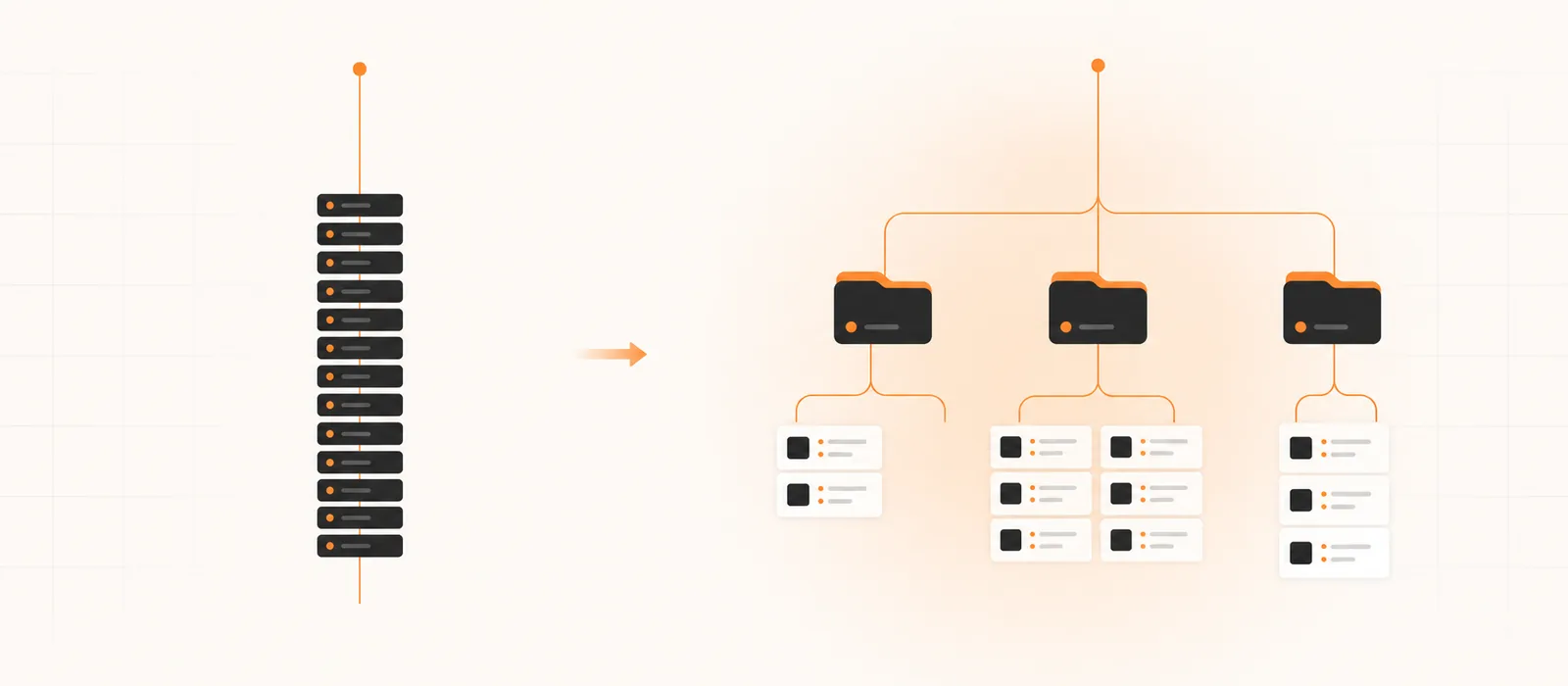
When your subscription arrives, you get one of two things. Either a set of credentials — a username, a password and a server address — or a single very long web link. Providers call both of them “your line”, which is where the confusion starts, because they behave quite differently once they are in an app.
This comes up in support constantly. Someone says the guide is empty, or there are no films, or all 55,000 channels are dumped in one endless list with no categories. Nine times out of ten they were given an M3U link and typed it into an app that would have done far more with the other format.
Behind both formats sits the same thing: an account on a streaming server, with an expiry date and a limit on how many streams it can play at once. That account is your line. M3U and Xtream Codes are simply two ways for your app to talk to it.
Think of it like reaching a library. The M3U link is a printed list of every book with its shelf location — accurate, but static, and you cannot ask it anything. Xtream Codes is a librarian you can query: what categories do you have, what is on this channel tonight, show me the films from 2024. Same library, very different experience.
M3U is an old, simple playlist format — it long predates IPTV and was originally used for music playlists. An IPTV M3U is a text file listing every channel and every on-demand title, each with a name, sometimes a logo URL, sometimes a group tag, and the stream address.
Your provider gives you a URL that generates this file on request. The app downloads it, parses it, and shows you what it found. That is the whole mechanism, and its simplicity is both the strength and the limitation.

Xtream Codes started as panel software providers used to manage subscribers, and its API became the de facto standard for how IPTV apps talk to servers. You enter three things — server URL, username, password — and the app then queries the server directly.
Because it is a live conversation rather than a static file, the app can request exactly what it needs:
| Capability | Xtream Codes API | M3U link |
|---|---|---|
| Channel categories | Proper sections | Depends on group tags |
| TV guide (EPG) | Built in | Separate URL needed |
| Films & series with posters | Yes | Usually a flat list |
| Catch-up / replay | Supported | Rarely |
| Start-up speed, large catalogue | Fast | Slow |
| Shows expiry date in app | Yes | No |
| New channels appear automatically | Yes | On refresh only |
| Works in VLC | No | Yes |
| Fields to type | Three | One |
Put plainly: if your app offers “Login with Xtream Codes API”, use it. That is the recommendation for perhaps ninety-five percent of setups, and it is what we send by default unless someone asks otherwise.
Your username, password and server URL can be assembled into an M3U link, and an M3U link contains those same credentials inside it. You are never choosing between two subscriptions — only between two ways of connecting to one.
It is not obsolete. There are real cases where the simple option wins:
A tidy compromise many people use: Xtream Codes on the main television for the guide and the film library, M3U on the laptop or a second screen where none of that matters.
| App / device | Use this | Why |
|---|---|---|
| TiviMate | Xtream Codes | Full guide, catch-up and recording depend on it |
| IPTV Smarters Pro | Xtream Codes | Unlocks the Movies and Series sections |
| Smart IPTV / Set IPTV (Samsung, LG) | M3U | Playlist-based by design |
| MAG box | Neither — portal URL | Uses a portal registered to the MAC address |
| Enigma2 receivers | Bouquet file | Installed over SSH, not entered in an app |
| VLC | M3U | The only format it understands |
| iOS / Apple TV players | Xtream Codes | Better performance on large catalogues |
Step-by-step instructions for each of these are on our installation page, and the player choice itself is covered in TiviMate vs IPTV Smarters.
It helps enormously to understand what you are looking at, because then you can convert between the two formats yourself and diagnose your own typos.
An Xtream Codes login has exactly three parts:
An M3U link is those three things glued into a single web address: the server, then a path, then your username and password passed as parameters, then usually a format instruction telling the server which container to send. That is why an M3U link is so long, and why it is so dangerous to paste in public — your credentials are sitting in plain sight in the middle of it.
Two practical consequences. First, if you have an M3U link you can extract the three fields from it and log in with the Xtream method instead, without asking anyone for anything. Second, if you have the three fields, any provider can generate the M3U for you in seconds — so “we only do M3U” or “we only do Xtream” is a support policy, not a technical limit.
Favourites and hidden categories live in the app, tied to the playlist entry — not to your account. If you re-add the same line in a different format, the app usually treats it as a new playlist and your customisation does not follow. Add the new one first, rebuild favourites, then delete the old entry. Ten minutes, once.

Nearly always a typing problem, and nearly always one of four characters: a zero read as the letter O, a capital I read as a lowercase l, a hyphen typed as an underscore, or an invisible trailing space that a phone keyboard added when you copied the text. Copy and paste rather than typing, and check the very end of each field.
The server URL usually includes a port, like http://example.com:8080. People often drop the :8080 because it looks like a mistake. Without it the app cannot reach the server. Equally, do not add http:// twice — some apps insert it for you.
Classic M3U symptom: your provider’s group tags are not being read, or you were sent a simplified playlist. Switching to the Xtream Codes login fixes it instantly. If the app has no Xtream option, ask your provider for a categorised M3U — most panels can generate one.
On an M3U setup, the EPG is a separate URL that has to be added in the app’s settings — ask for the EPG link. On an Xtream setup, give it up to an hour after first login, then check the time-zone and EPG offset in the app before reporting it.
Send yourself the credentials on WhatsApp Web, then copy and paste them on the device. It removes the entire category of typing errors above and takes about fifteen seconds.
None of this is specific to us, incidentally. Both formats are industry standard, and any competent provider — Strimo IPTV, KiloTV and Imax IPTV included — will hand you either one on request. If a seller insists they can only supply an M3U and cannot produce Xtream credentials, that tells you something about the panel they are reselling from.
Both formats are, in effect, a password. An M3U link is worse in one specific way: the username and password sit in plain view inside the URL. Post it in a forum or a group chat and anyone who sees it can use your subscription.

Two things then happen. First, your streams start being interrupted, because the connection limit is being consumed by strangers. Second, the account gets flagged for sharing — most providers, including us, terminate lines detected being used from many locations at once, and that termination is not refundable.
So: do not post it, do not paste it into a public help thread, and blur it in screenshots. If you think it has leaked, ask support to reset the credentials. It takes a minute and it is free.
Tell us your device and we will send the right format for it — Xtream credentials, a categorised M3U, a MAG portal or an Enigma2 bouquet — along with a setup guide written for that exact screen.
Yes. They are two doors into the same account, and using both costs nothing extra. The only limit is how many streams play simultaneously.
The original company is long gone, but the API it defined is now an open standard that panel software and apps both implement. It is not going anywhere.
No. Both deliver identical streams. What the format affects is organisation, guide data and metadata — not bitrate. If quality is your issue, start with the buffering diagnostic instead.
For a very large catalogue on a cheap device, yes — and it is the clearest argument for switching to Xtream Codes, which fetches only what you open.
You can, with a text editor or a playlist tool. But it is easier to hide categories inside the app, and your edited file goes stale the moment the provider updates the catalogue.
The rule is short: use Xtream Codes wherever the app supports it, keep an M3U link in your notes for quick tests and playlist-only televisions, and treat both like the password they are.

The Firestick is the most common IPTV device in the world, and also the most commonly misconfigured one. This is the exact…
Read the guide
Free IPTV is not a scam and paid IPTV is not automatically better. They are two different products solving two different problems,…
Read the guide
They solve the same problem in completely different ways. One is built for a remote control and a big screen; the other…
Read the guide